Basic Computer
Basic Computer
Build Essential Computer Skills for Education, Office Work, and Everyday Use.
Duration
90 HoursFees
6000 /-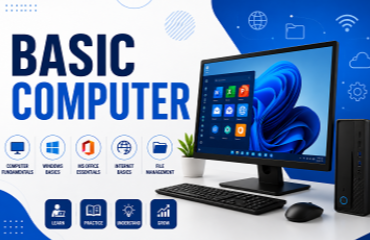
Why Students Choose Our Institute
Practical learning, expert guidance and placement support to help you become industry ready.
100%
Practical TrainingLive
Project ExperienceAI
Modern Learning1:1
MentorshipJob
Placement SupportCert.
CertificationCourse Highlights
Key features of our industry-oriented training program.
Comprehensive training on Windows 11 and Computer Fundamentals
Hands-on practical sessions in File Management, Software Installation, and System Maintenance
Internet, Networking, and Cyber Security fundamentals
Practical training on Google Workspace (Gmail, Drive, Docs, Sheets, Slides, Forms & Calendar)
Professional document creation using Microsoft Word
Advanced Microsoft Excel for Data Analysis, MIS Reports, Dashboards, and Business Automation
Professional PowerPoint presentations with animations, infographics, and storytelling
AI-powered productivity training using ChatGPT, Microsoft Copilot, Google Gemini, Canva AI, and Microsoft Designer
Prompt Engineering and AI applications for workplace productivity
Career readiness with LinkedIn Profile, ATS Resume, Interview Preparation, Group Discussion, and Business Communication
Freelancing essentials including Upwork, Fiverr, Portfolio Building, Proposal Writing, and Client Communication
Real-world projects, practical assignments, and business case studies
Certificate of Completion
Placement Assistance
Benefits of Our Course
Everything you need to become job-ready.
Build a strong foundation in computer applications and digital skills.
Gain practical experience with Microsoft Office and Google Workspace.
Learn data analysis, dashboards, and reporting using Microsoft Excel.
Improve workplace productivity with the latest AI tools and technologies.
Develop professional communication, documentation, and presentation skills.
Learn cybersecurity best practices for safe online working.
Prepare for corporate jobs, freelancing opportunities, and digital workplaces.
Build a professional LinkedIn profile, ATS-friendly resume, and interview skills.
Receive an industry-recognized certification to strengthen your career profile.
Who Can Join This Course?
This course is suitable for learners from different backgrounds.
Course Outcomes
By the end of this course, you will be able to:
Confidently operate Windows computers and manage files, folders, and software.
Use the internet safely and collaborate using Google Workspace applications.
Create professional documents, resumes, reports, invoices, and business letters in Microsoft Word.
Analyze business data using Microsoft Excel with formulas, Pivot Tables, charts, dashboards, and MIS reports.
Design impactful presentations using Microsoft PowerPoint with animations and visual storytelling.
Use AI tools like ChatGPT, Microsoft Copilot, Google Gemini, Canva AI, and Microsoft Designer to improve workplace productivity.
Apply Prompt Engineering techniques for content creation, research, presentations, and data analysis.
Communicate professionally through emails, LinkedIn, and workplace collaboration tools.
Create freelancer profiles, portfolios, proposals, and confidently work on freelance platforms.
Be job-ready for roles such as Computer Operator, Office Executive, Data Entry Operator, MIS Executive, Administrative Assistant, Customer Support Executive, or Freelancer.
Get Free Course Counseling
Talk to our course experts and find the right program for your career. Fill out the form below and we'll contact you shortly.